Reference Verification, Explained
Every citation in your manuscript is a promise that a source says what you claim it says. CiteGeist's verification layer checks that promise automatically, catching mismatched metadata, missing fields, and citation drift before a reviewer ever sees them.
Two Part Workflow: Library and Reference Check
The Library side of CiteGeist is a reference management workspace with plugin support for writing tools. It is intended for publicly available preprints, peer-reviewed papers, and references to websites or software.
The Reference Check side is a separate partition for pre-submission and review workflows. Users can drop .txt or .bib files, paste BibTeX, or paste formatted references (APA, Chicago, Harvard, IEEE, Vancouver, MLA, and others) for validation before or during editorial review.
No Generative AI in Validation
Reference validity assessments are rule-based, not generated by LLMs.
Local-Only Review Session
Reference checking data is not stored by CiteGeist with no data egress from the review process.
User Oversight at Every Stage
Each stage supports human review and override before final reporting.
Why Verification Matters
Bibliographies grow for months, get merged across collaborators, and get edited late at night before a deadline. Small errors creep in quietly, and they're the ones reviewers and readers notice first.
Mismatched Metadata
A pasted DOI or a hand-typed entry can quietly point to the wrong title, journal, or year without anyone noticing.
Missing Fields
Volume numbers, page ranges, and publishers are easy to skip when importing from scattered sources.
Citation Drift
In-text citations and bibliography entries fall out of sync as drafts get revised and reorganized.
How Verification Works
A five-step process with user oversight at each stage.
Detect & Split
Pasted or uploaded references are detected and separated into individual entries.
Parse & Edit Fields
Entries are parsed into fields (authors, year, title, journal, and more). Users can override parsed text, and add or remove fields before verification.
Verify Against Sources
Users verify selected references or all at once. Searches query public scientific records and attempt URL authenticity checks for website or software citations.
Review Match Outcomes
Matched results are compared against user entries and labeled as verified, possible match, or unverifiable. Close alternatives and style-consistency notes are included.
Summarize & Export
Review summary statistics and export a printable report with timestamps for pre-submission, editorial, or reviewer workflows.
Style-aware checks also report truncation and abbreviation consistency, including ISO 4 and NLM-style normalization patterns (for example, long journal names versus accepted abbreviated forms).
Verification Report
Real UI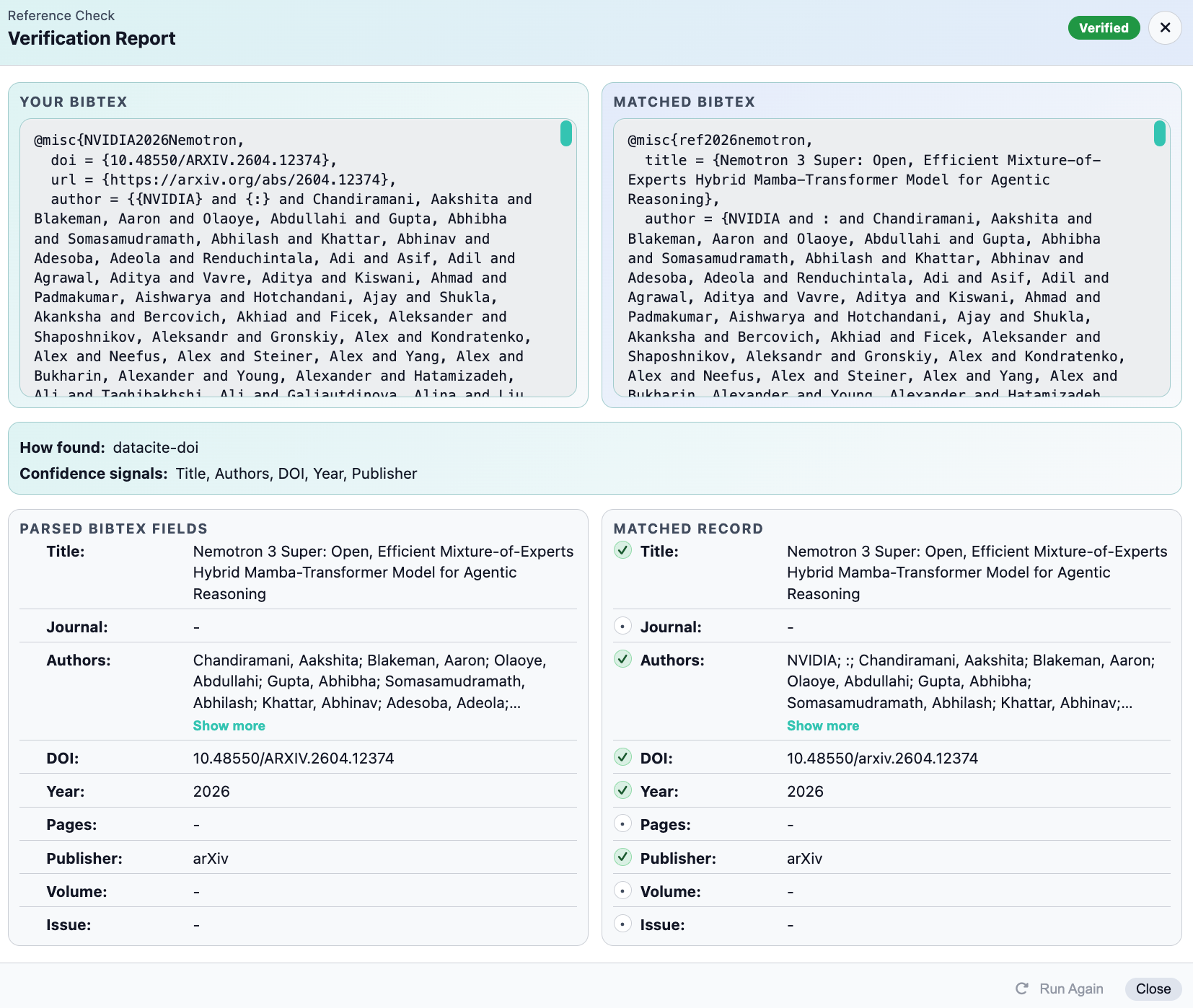
Run a full-field verification pass to compare submitted references against matched records, then jump straight to the exact fields that need correction.
Printable reports for batched review Preview
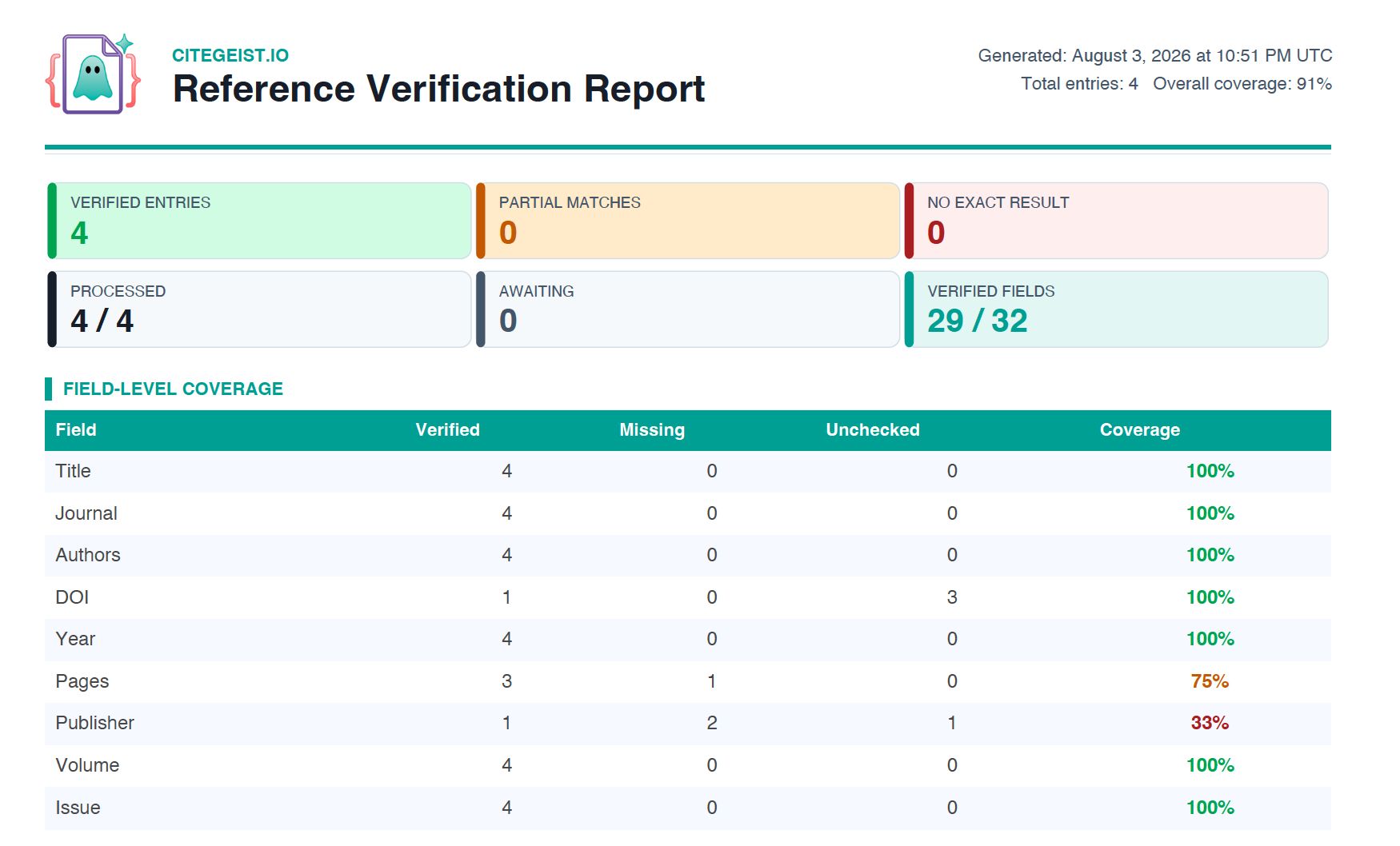
Export a clean, shareable PDF of your full verification results - field-level coverage, match status, and flagged entries included.
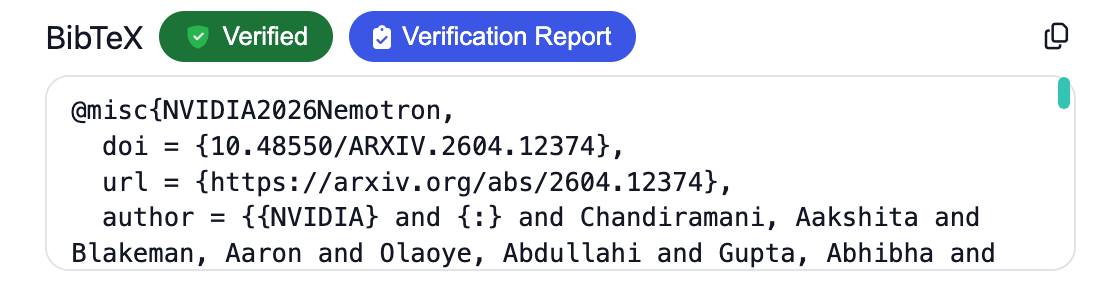
What Gets Verified
Source Identity
Confirms DOI, title, and journal metadata point to the same work.
Citation Consistency
Flags drift between in-text references and bibliography entries.
Field Completeness
Highlights missing author, year, volume, issue, or publisher details.
Variant and Nearby Record Audit
Highlights closely related records and metadata variants for reviewer-led auditing.
Verification FAQ
What sources does verification check against?
CiteGeist matches each reference against canonical bibliographic records using identifiers like DOI, title, and author list, then compares every field on your entry against the matched record.
What happens when a mismatch is found?
The flagged field is highlighted directly in your library with the matched record's value shown side-by-side, so you can accept the correction or keep your original entry.
Does CiteGeist use generative AI to validate references?
No. Reference verification follows a rule-based matching and comparison steps with user oversight.
Is reference checking data stored or sent out of my local instance?
No. Data from the reference checking review flow is not stored by CiteGeist and remains local to the user's site instance with no data egress from the review process.
Can I share verification results with collaborators or an advisor?
Yes. Export a printable report covering field-level coverage, match status, and flagged entries for offline or batched review.
Does verification work on a library I migrated from another tool?
Yes. Verification runs on any library in CiteGeist regardless of where it came from, including libraries migrated from Zotero or EndNote. See our export guide to bring your existing library in first.
Ready to Verify Your Library?
Catch problems before reviewers do. It only takes one pass.