Your papers, notes, and citations shouldn't feel like ghosts lurking in forgotten folders. CiteGeist brings them into the light.
Before
Scattered & Disorganized
CiteGeist
After
Organized & Efficient
What can CiteGeist do for you?
AI-Powered Research Companion
Letβs accelerate your research with intelligent summaries, smart discovery, and seamless organization.
Extensive Coverage
Millions of academic papers analyzed
High Precision
Reliable and accurate summaries
Accelerated Research
Dramatically faster literature reviews
Supernatural Reference Features
Unlock smarter, faster research with a feature set built for modern scholarship.
Nothing Gets Lost
Your papers shouldn't disappear into the void.
- Auto-import PDFs and .bibs
- Instantly extract clean metadata
- Always searchable, always accessible
Understand Papers in Seconds
Intelligent summaries at your fingertips.
- AI summaries with key findings + methods
- Instant insight into what matters
- No more wasted reading time
Discover What You're Missing
Your best sources aren't always the obvious ones.
- Find related papers automatically
- Surface hidden connections
- Expand your literature review effortlessly
Write Without Disturbance
Stay in flow without citation headaches.
- Works with Word, Google Docs, Overleaf
- Insert citations instantly
- Perfectly formatted, every time
Your Research, Organized
From chaos to clarity.
- Tags, filters, and relationships
- Build a living research system that learns with you
- Stylus support for handwritten notes & markup
- Everything exactly where it belongs
Unified Collective Intelligence
Research is better when minds connect.
- Share references and insights effortlessly
- Build knowledge together in real time
- Never lose track of who added what
Capturing the Zeitgeist
Just as zeitgeist captures the spirit of an era, CiteGeist captures the essence of your research, organizing, tracking, and illuminating the intellectual currents that define your academic journey.
What Researchers Say
Heather Byrd, MSc
Graduate Researcher
“Citegeist has everything you need to manage your research workflow in one tool. It makes finding relevant papers, annotating PDFs with highlights and notes, and collaborating with others easy and efficient. Iβm currently writing my thesis and the experience has been so good that I switched from my previous platform without waiting until I finished the project.”
Theresa Kline, PhD
Professor Emeritus
“Citegeist is a transformative tool that effectively manages decades of literature and is a welcome addition to the research enterprise.”
Doug Johnston, MD
Chief of Cardiac Surgery
“Very flexible cross platform tool for reference management. Laptop to iPad is seamless! Quickly imported and organized a huge folder of PDFs with AI summaries. The ability to share annotations and notes makes this a very valuable tool for teams working on publications.”
Choose Your Plan
Straightforward pricing for solo researchers, labs, and institutions.
Phantom
$0/mo
Specter
$8/mo
Poltergeist
$15/mo
Specter
Custom
Compare plans
Phantom
$0/mo
Specter
$8/mo
Poltergeist
$15/mo
Legion
Custom
Frequently Asked Questions
How do I set up citation insertion in Word, Overleaf, and Google Docs?
Start by connecting your CiteGeist library and exporting your references in the format each writing tool expects. In Word and Google Docs, use the citation add-in/workflow to insert and format citations directly from your synced library. In Overleaf, export or sync BibTeX and cite your entries in LaTeX as you write. For step-by-step setup instructions for each platform, see the full citation guide.
I use a different reference manager, how easy is it to switch to CiteGeist?
We make migration simple and easy. Export your library as a .bib file, drop it in and let us take care of the rest. Our backend links existing records/papers so current and future papers stay associated with deduplication handled automatically. For step-by-step export help, see the Zotero + EndNote export guide.
Can I switch plans anytime?
Absolutely! You can upgrade or downgrade your plan at any time. Changes will take effect after the end of your current billing period.
What happens if I exceed my reference limit?
For Phantom users, you'll be prompted to upgrade to Poltergeist. Don't worry your data is always safe, and you can upgrade with a single click.
What if a reference does not automatically populate?
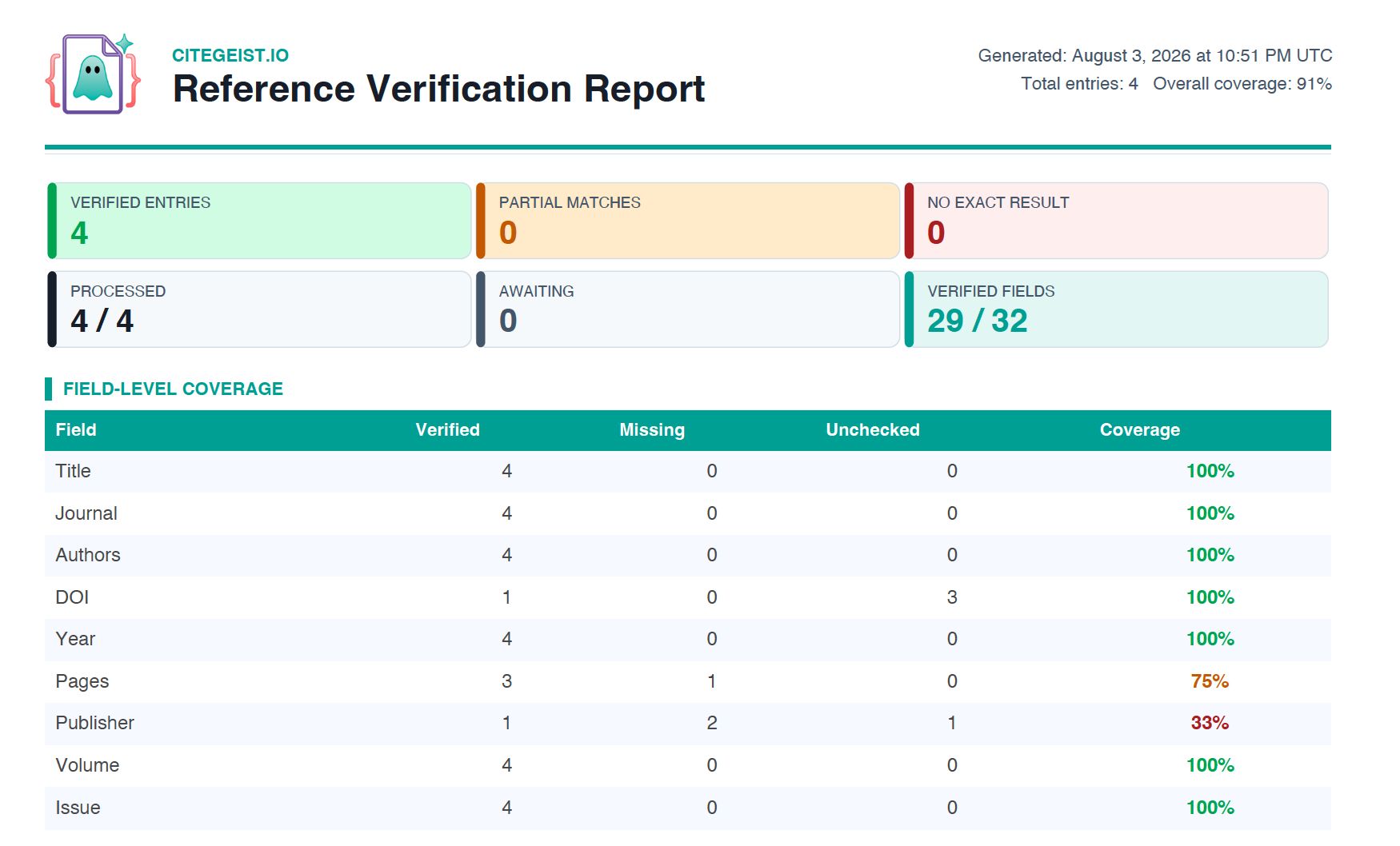
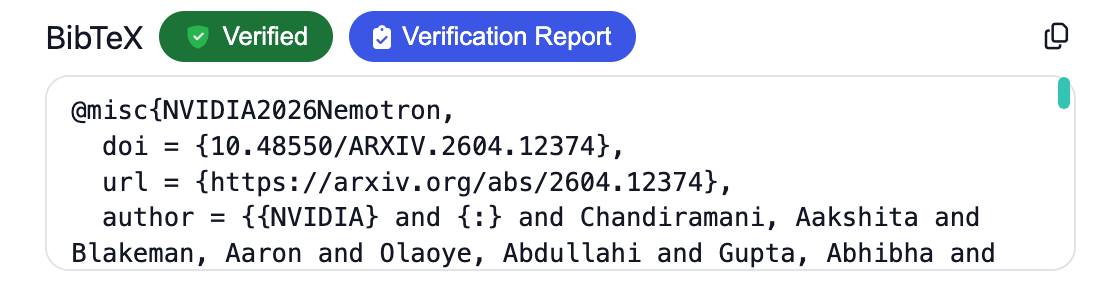
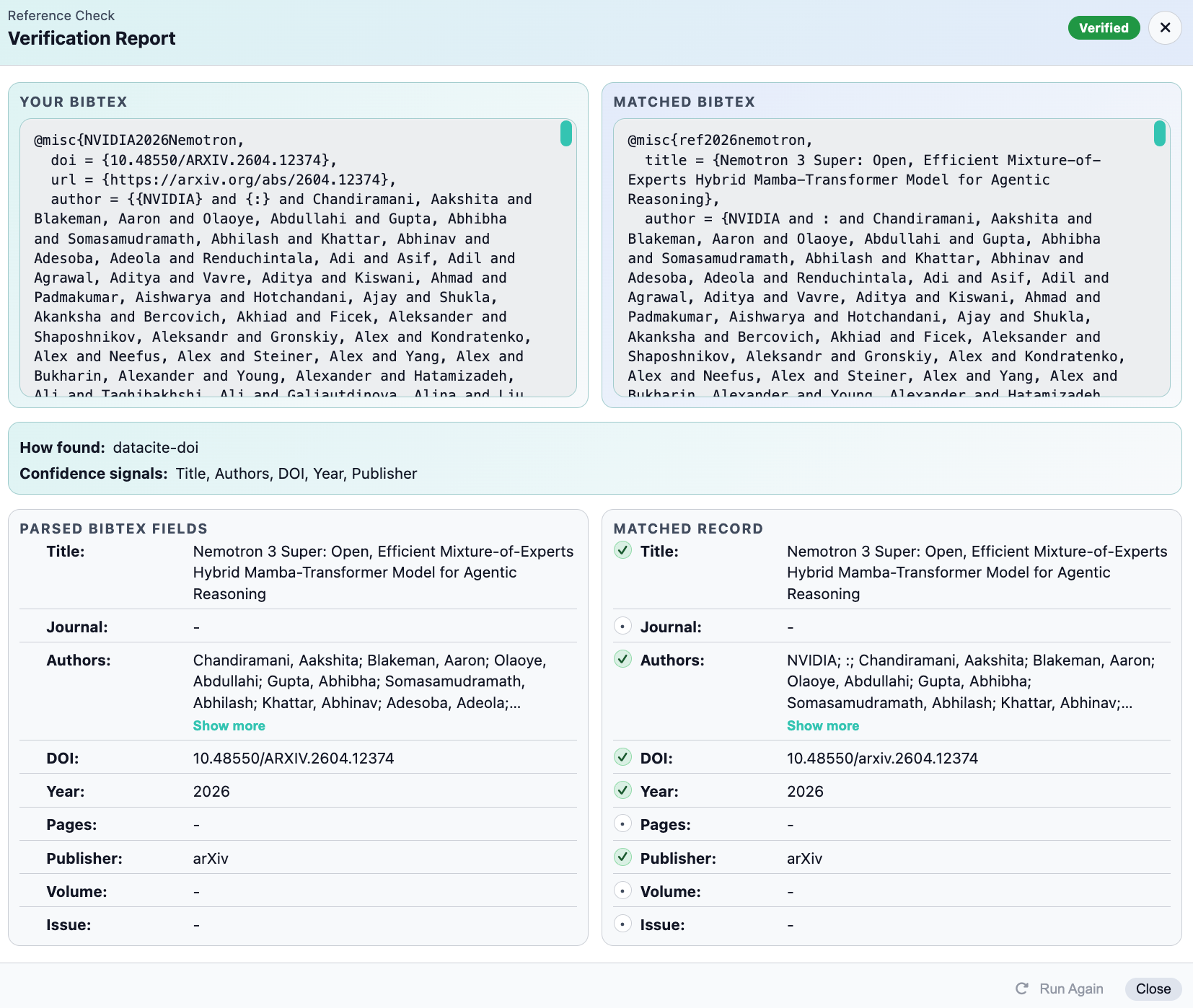
If a reference does not auto-populate, you can and should paste the BibTeX directly into the PDF viewer. Once added, all citation formats will automatically populate from that BibTeX, and these fields remain editable for every entry.
How do I get a BibTeX entry from Google Scholar, Semantic Scholar, or a journal?
Most academic sources make it easy to export BibTeX with just a few clicks:
- Google Scholar: Search for the paper, click the “ (Cite) icon below the result, then select BibTeX at the bottom of the popup.
- Semantic Scholar: Open the paper page, click Export (or Cite), and choose BibTeX from the format options.
- Journal / publisher page: Look for a Cite, Export Citation, or Download Citation button β most publishers (ACM, IEEE, Springer, Elsevier, etc.) offer BibTeX directly.
The result will look something like this, which you can paste directly into CiteGeist:
@article{blakeman2025nvidia,
title={NVIDIA Nemotron 3: Efficient and Open Intelligence},
author={Blakeman, Aaron and Grattafiori, Aaron and Basant, Aarti and Gupta, Abhibha
and Khattar, Abhinav and Renduchintala, Adi and others},
journal={arXiv preprint arXiv:2512.20856},
year={2025}
}
What are the different BibTeX entry types and how should they be formatted?
BibTeX has a specific entry type for each kind of source. Using the correct type ensures citation styles render your references properly. The most common are:
- @article β journal or magazine articles
- @book β published books
- @inproceedings β conference papers
- @incollection β chapters within a book
- @misc β anything that doesn't fit a standard type (datasets, software, preprints)
- @online β web pages and online-only sources
- @phdthesis / @mastersthesis β doctoral and master's theses
- @techreport β institutional technical reports
- @unpublished β work not yet formally published
For required and optional fields, naming conventions, and a complete example for every type, see the full BibTeX formatting guide.
What if my Related Works is empty?
This can happen when CiteGeist cannot find enough BibTeX metadata to identify related papers. Add relevant keywords and the paper's BibTeX entry, then return to the Related Works area and click to run discovery again.
Does CiteGeist support iPad + stylus workflows (or equivalent devices)?
Yes. CiteGeist supports iPad workflows and stylus input for annotation and handwritten notes, including Apple Pencil and equivalent stylus devices. You can write, highlight, and mark up papers while keeping your notes organized in your library.
What payment methods do you accept?
We accept all major credit cards (Visa, Mastercard, American Express), PayPal, and for Enterprise plans, we can arrange invoicing.
Can I cancel my subscription?
Of course! You can cancel at any time with no penalties. Your access continues until the end of your billing period, and you can export all your data.
Where can I find your terms and policies?
You can review our complete Terms of Use anytime, which cover our policies, your rights, and how we handle your content and data. By creating an account and using CiteGeist, you acknowledge and accept our Terms and Conditions.