PRISMA Flow Diagram
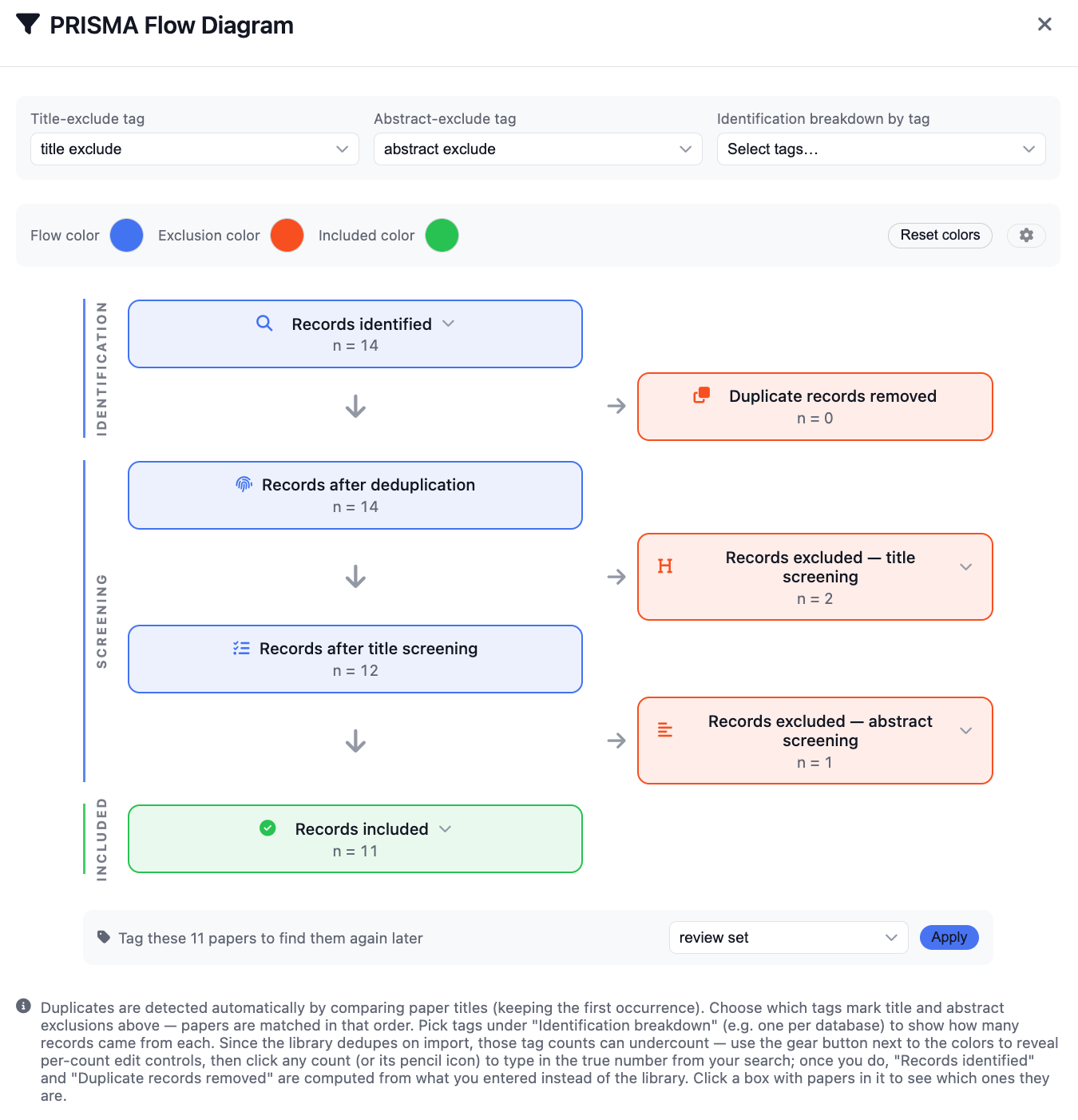
Convert your screening decisions into transparent counts across identification, screening, and inclusion, with explicit exclusions at each stage.
Review Helper
Build transparent screening summaries and export high-quality paper tables from one workspace. This page covers the complete workflow from extraction to PRISMA-ready counts and CSV output.
Convert your screening decisions into transparent counts across identification, screening, and inclusion, with explicit exclusions at each stage.
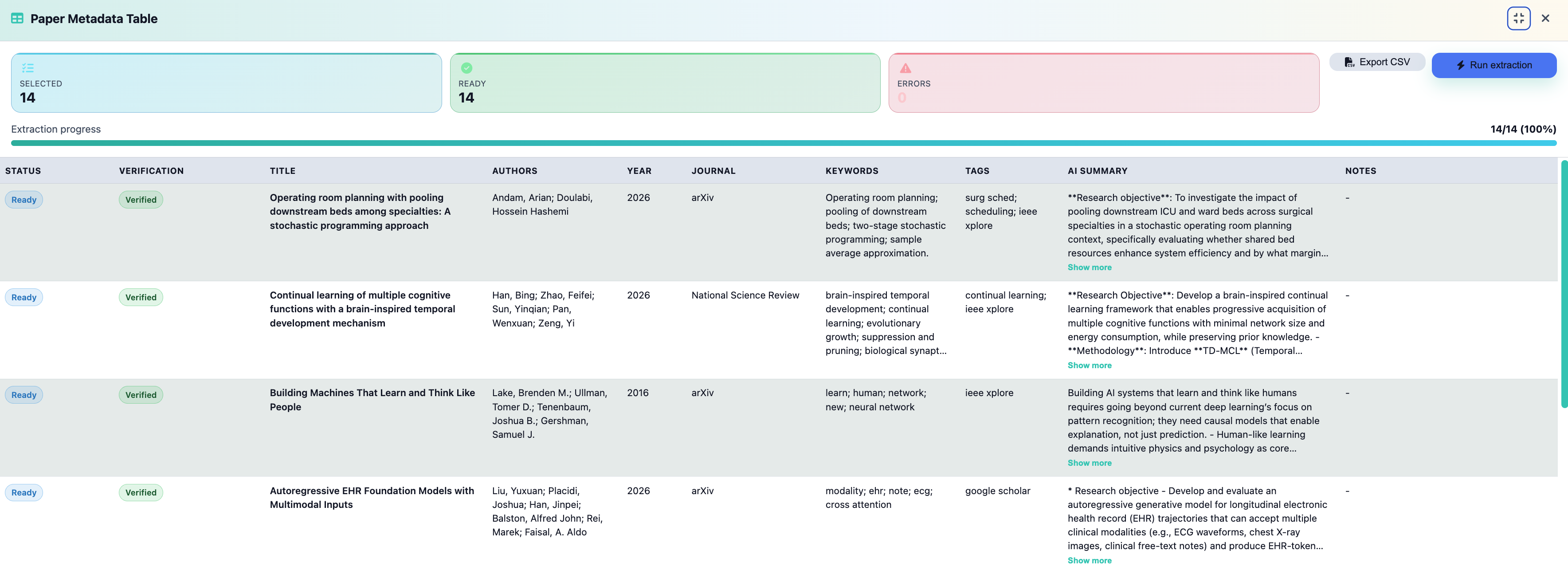
Run extraction for your selected papers and review key fields before exporting. The table is built to support supplemental materials and reproducible review logs.
Real Review Helper screens for PRISMA flow and metadata export.
Use this sequence to generate both the PRISMA summary and a metadata export in one pass.
1) Configure exclusion tags
Choose which tags represent title exclusions and abstract exclusions so counts map to screening stages correctly.
2) Add identification breakdown tags (optional)
Use source tags to split records identified by import stream, search engine, or query family for deeper traceability.
3) Verify computed boxes
Check Records identified, Duplicate records removed, Records after title screening, Records excluded after abstract screening, and Records included.
4) Save a tagged review set
Tag included papers as your final inclusion set; that label becomes the handoff point to Metadata Table export so you can process, analyze, and keep a clean audit record of included studies.
1) Select papers and run extraction
Use the Selected count to confirm scope, then click Run extraction. Wait for Ready to match your selected total before exporting.
2) Review AI summaries and core fields
Spot-check title, author list, year, journal, keywords, and tags. Use each paper's Notes field as your margin notes for limitations, key results, findings, and meta-analysis signals. Expand long summaries with Show more where needed.
3) Confirm error count is zero (or understood)
If Errors is non-zero, fix metadata gaps first or document known limitations before final export.
4) Export CSV
From the final inclusion set labeled in PRISMA, click Export CSV in Metadata Table to extract analysis-ready data for processing, synthesis, and long-term record keeping.
After PRISMA finalization, use the same labeled inclusion set in Metadata Table and export CSV for analysis, processing pipelines, and record keeping. Keep Notes updated as margin notes so limitations, findings, and synthesis context travel with each paper into your exported dataset.
Next action
Use the Review Helper in your active project, label your final inclusion set in PRISMA, and then export that set as CSV for immediate analysis.